Offline Form Capture for Roofing Site Surveys: A Practical Guide
How roofing contractors can capture site survey data, photos, and measurements offline — and sync everything when back at the office.
Why Roofing Crews Need Offline Form Capture
Roofing site surveys happen on rooftops, in crawl spaces, and across neighborhoods — places where cell signal is spotty at best. But the documentation requirements don't care about your connectivity.
Whether you're doing an initial site assessment, a storm damage inspection, or a post-install quality check, you need to capture:
- Photos of existing conditions, damage, flashing, vents, and gutters
- Measurements and material notes
- GPS coordinates to tie the survey to a specific address
- Signatures from property owners or project managers
- Timestamps proving when the inspection happened
Paper forms get wet, blow off roofs, and create hours of data entry back at the office. Cloud-based apps freeze when your phone loses signal mid-survey. What you need is a form that works whether you have internet or not.
What a Roofing Site Survey Form Should Include
A good roofing site survey form captures everything your estimator or inspector needs in a single submission:
Project identification
- Property address (text field)
- Customer name and contact info
- Date of survey
- Inspector/estimator name
Roof assessment
- Roof type (select: asphalt shingle, metal, flat/TPO, tile, slate, etc.)
- Approximate roof area (number field)
- Number of layers (select: 1, 2, 3+)
- Roof pitch (select or text)
- Overall condition rating (rating field)
Damage and issues
- Type of damage (select: wind, hail, age/wear, water, storm, none)
- Damaged areas description (textarea)
- Photos of damage — at least 4-6 per survey: overview, close-ups of damage, flashing/penetrations, gutters/drainage
Access and site conditions
- Access method (select: ladder, interior access, lift required)
- Safety hazards noted (textarea)
- GPS coordinates (auto-captured)
Sign-off
- Recommendations (textarea)
- Property owner signature
- Inspector signature
All of these map directly to standard field types — text, number, select, photo, GPS, signature, rating, and textarea. No custom coding or complex setup needed.
The Offline Problem — and How to Solve It
Here's a scenario every roofer knows: you're on a roof, documenting damage after a storm. You snap photos, note measurements, fill out the checklist. Then you hit "submit" and nothing happens — no signal.
With most form tools, you're stuck. The data might be lost. You might have to redo the survey later, or scribble notes on paper and enter them manually back at the office.
Offline-first form apps solve this completely. Here's how the workflow works:
- Build your survey form while connected — set up all the fields you need once
- Open the form on your phone — it caches for offline use
- Fill it out on the roof — take photos, capture GPS, collect signatures, all without internet
- Everything saves locally on your device with a pending status
- Drive back to the office (or anywhere with Wi-Fi) and your data syncs automatically
The key is that the form, the photos, the GPS data, and the signatures are all stored on your device until connectivity returns. Nothing is lost, nothing needs to be re-entered.
Photo Documentation Tips for Roofers
Photos make or break a roofing survey — especially for insurance claims and customer approvals. Here's what to capture:
Required shots:
- Wide shot of the entire roof from ground level
- Close-up of each damaged area
- Flashing around chimneys, vents, and skylights
- Gutter condition and drainage
- Any interior water damage (ceiling stains, attic leaks)
Best practices:
- Take photos within the form — this links each photo to the specific survey record, not lost in your camera roll
- Use auto-compression — roofing surveys can have 10-20+ photos per property. Built-in compression keeps file sizes manageable without sacrificing quality
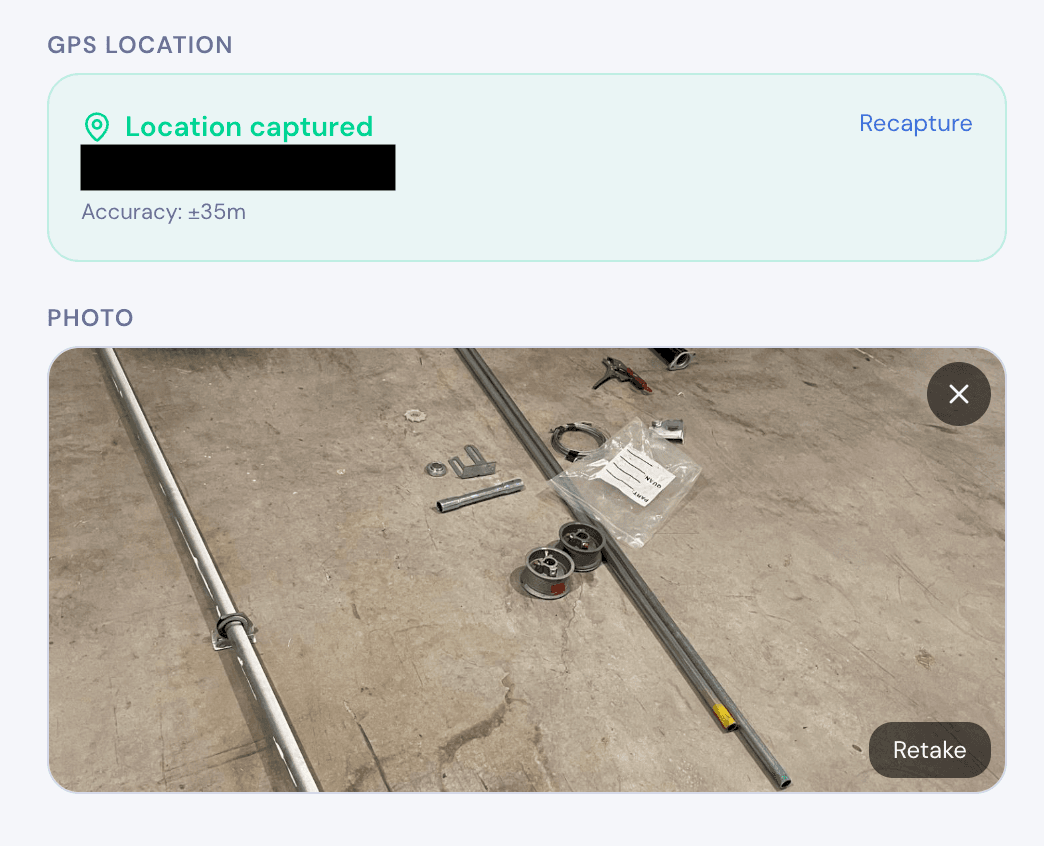
- GPS-tag every submission — this proves which property the survey covers, useful for insurance adjusters and disputes
When photos are embedded in the form submission alongside GPS and timestamps, you have a complete record that's far more credible than a folder of disconnected images.
Scaling Surveys Across a Roofing Team
If you have multiple estimators or inspectors doing site surveys, consistency matters. Every surveyor should capture the same data points in the same format.
Use a single form template that every team member fills out. This ensures:
- No inspector forgets to photograph the gutters
- Every survey captures GPS coordinates automatically
- Customer signatures are always collected on-site
- Data arrives in a consistent format for quoting and scheduling
Share the form link with your crew. They open it once on their phone to cache it, then use it repeatedly for every site visit — online or offline.
After surveys sync, you can review all submissions in one place, export to PDF for customer proposals, or pull the data into your quoting workflow.
Getting Started
FieldForm is built for exactly this kind of field work — offline-first, with photo capture, GPS tagging, signatures, and PDF export built in.
You can set up a roofing site survey form in under 15 minutes:
- Create a free account — no credit card needed
- Build your form with the fields listed above (text, select, photo, GPS, signature, rating)
- Share the link with your team — it works as a mobile app without any app store download
- Start surveying — works on the roof, in the truck, anywhere
The free tier includes 3 forms and 50 submissions per month — enough to run your roofing surveys without paying anything.
Ready to try FieldForm?
Free offline form builder for field teams. No app install needed.
Get started freeMore from the blog
Form Groups: Fill Multiple Linked Forms in One Site Visit
Learn how FieldForm's new Form Groups feature lets you link a main form to a set of check forms, auto-populate shared fields, and export everything as a single PDF bundle.
GuideHow to Collect Field Data Without Internet in 2026
Learn how offline field data collection apps work, why they matter for remote teams, and how to set up a reliable workflow that syncs when you reconnect.