5 Best Practices for Digital Construction Site Inspections
Improve your construction inspections with digital forms, photo documentation, and GPS tracking. Practical tips for site managers and inspectors.
Why Construction Inspections Need to Go Digital
Construction sites generate massive amounts of inspection data — safety checklists, quality audits, progress reports, punch lists, equipment logs. Most of this still happens on paper or in disconnected spreadsheets.
The result? Reports arrive days late. Photos are on someone's camera roll with no context. Issues get missed because the paper checklist is in a truck somewhere.
Digital inspections solve these problems by capturing structured data, photos, GPS, and signatures in one place, synced to the cloud as soon as connectivity is available.
1. Standardize Your Inspection Checklists
The biggest win from going digital isn't the technology — it's consistency.
Create standardized templates for each inspection type:
- Daily safety inspections — PPE compliance, housekeeping, fall protection, electrical safety
- Quality inspections — Material conformance, workmanship, dimensional accuracy
- Progress reports — Work completed, crew size, weather conditions, delays
- Equipment inspections — Pre-use checks, maintenance logs, certifications
Digital templates ensure every inspector captures the same data every time. No more missing fields or inconsistent formats.
2. Require Photo Documentation
A photo is worth a thousand words on a construction site. Make photo capture mandatory in your inspection forms, not optional.
Best practices for photo documentation:
- Before and after — Capture the condition before and after corrective action
- Wide and close-up — One shot showing context, one showing the specific issue
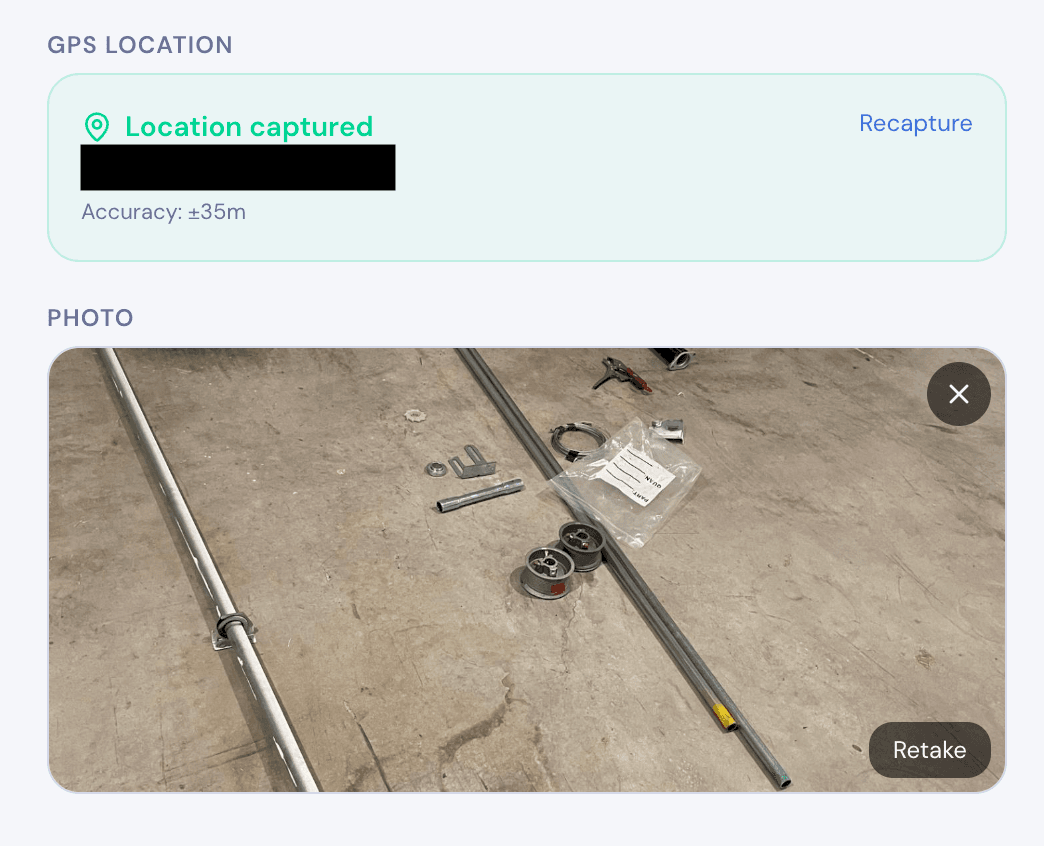
- Auto-timestamp — Use a tool that automatically timestamps and GPS-tags every photo
- In-form capture — Photos should be taken within the inspection form, not in a separate camera app. This keeps photos linked to the right record.
Digital forms with built-in photo capture eliminate the "I forgot to take a photo" problem. When the form requires a photo, the inspector can't skip it.
3. Use GPS to Track Inspection Locations
On large sites or multi-site operations, knowing where an inspection happened is just as important as what was found.
GPS tagging on every submission lets you:
- Map all inspections to see coverage gaps
- Verify location — confirm the inspector was actually on-site
- Track issues geographically — spot patterns (e.g., the same area keeps failing quality checks)
- Support compliance — timestamped, geotagged records hold up in disputes
GPS works without cell service, so even on remote sites, location data is captured automatically.
4. Collect Digital Signatures for Sign-Offs
Many inspections require sign-offs — from the inspector, the site supervisor, or a third-party auditor. Paper signatures are slow and hard to verify.
Digital signatures captured on a touchscreen are:
- Faster — Sign right on the phone or tablet
- Linked to the record — The signature is embedded in the submission, not on a separate sheet
- Timestamped — You know exactly when the sign-off happened
- Exportable — Include signatures in PDF reports automatically
For compliance-heavy projects, digital signatures with timestamps create an audit trail that paper can't match.
5. Generate Reports On-Site
Don't wait until you're back at the office to create reports. The best inspection apps let you generate PDF reports on-device, immediately after the inspection.
This means:
- Clients get reports the same day, not a week later
- Issues are documented while fresh — no memory gaps
- Subcontractors get corrective action notices immediately
- Records are complete before leaving the site
Look for tools that generate PDFs locally (on your device) rather than requiring a server. This way, you can generate reports even without internet.
Getting Started with Digital Inspections
FieldForm is a free, offline-first form builder designed for construction teams. Build inspection checklists with photos, GPS, signatures, and PDF export — all working without internet.
Start with one inspection type (like daily safety checks), run it for a week alongside paper, and see the difference.
- No app installation — works in any mobile browser
- Offline capable — fill forms on-site even without signal
- Free for small teams — up to 3 forms and 50 submissions/month
Ready to try FieldForm?
Free offline form builder for field teams. No app install needed.
Get started freeMore from the blog
Form Groups: Fill Multiple Linked Forms in One Site Visit
Learn how FieldForm's new Form Groups feature lets you link a main form to a set of check forms, auto-populate shared fields, and export everything as a single PDF bundle.
GuideHow to Collect Field Data Without Internet in 2026
Learn how offline field data collection apps work, why they matter for remote teams, and how to set up a reliable workflow that syncs when you reconnect.